As the final client project in my UX bootcamp, I joined forces with 5KM Run, a grassroots platform in Bulgaria connecting runners through weekly events. Despite a loyal user base, they were struggling to convert engagement into paid XL Run registrations.
My mission? Simplify the sign-up flow, build a responsive dashboard, and boost conversions, without disrupting the community-driven spirit that made the platform special.
Problem
Users find the XL sign-up process confusing due to too many steps, leading some to drop off completely and others to register on the spot.
This adds pressure on event-day operations and prevents 5KM Run from securing early, paid participation.
Solution
1.
Redesigned sign-up and clarified paid run value.
2.
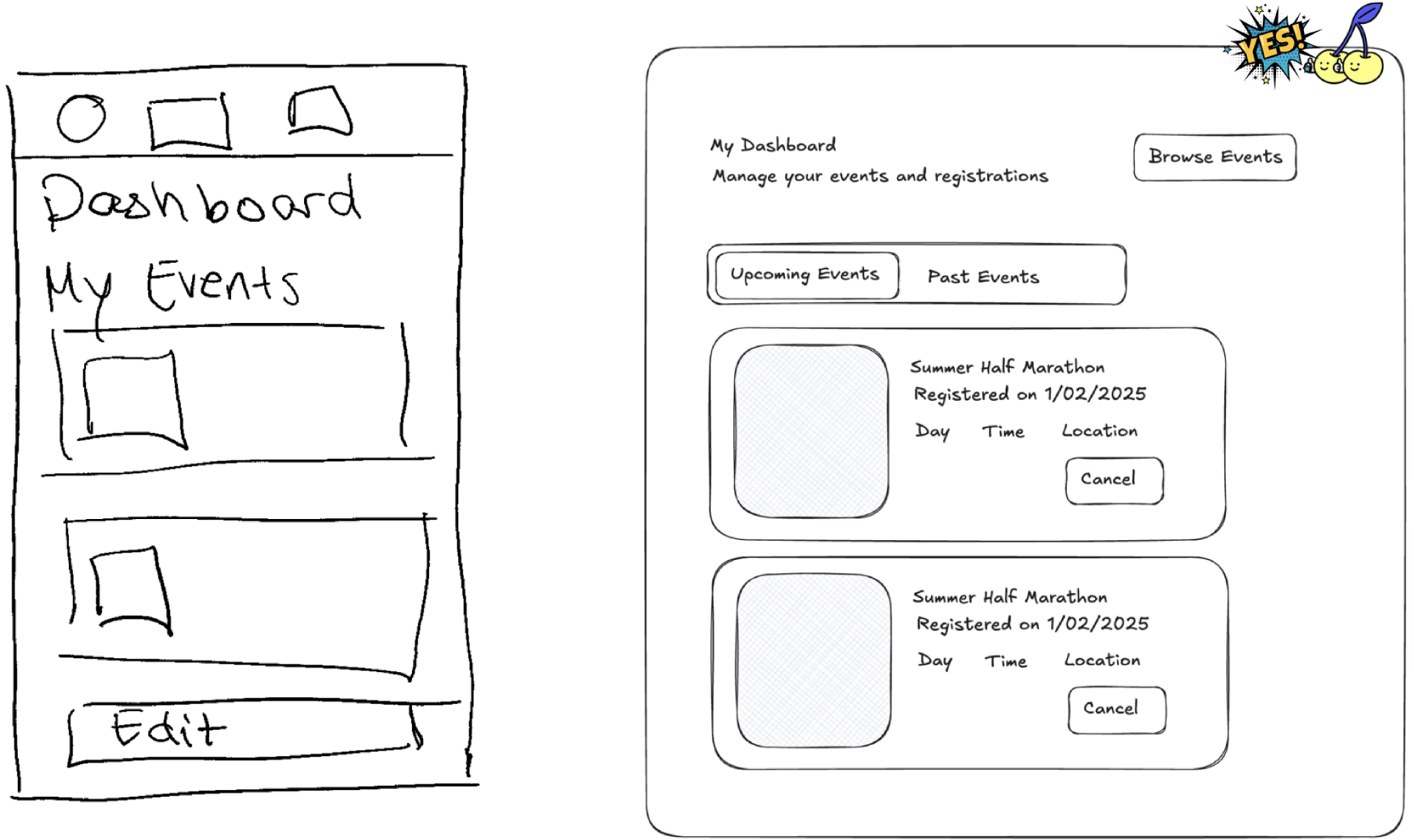
Created a dashboard for events, stats, and profile updates.
3.
Built a responsive structure for both desktop and mobile users.
My Contribution
•
Competitive Analysis
•
Feature Prioritisation
•
Content Audit
•
Sitemap
•
Sign up & dashboard flow design
•
Usability Testing (3/5)
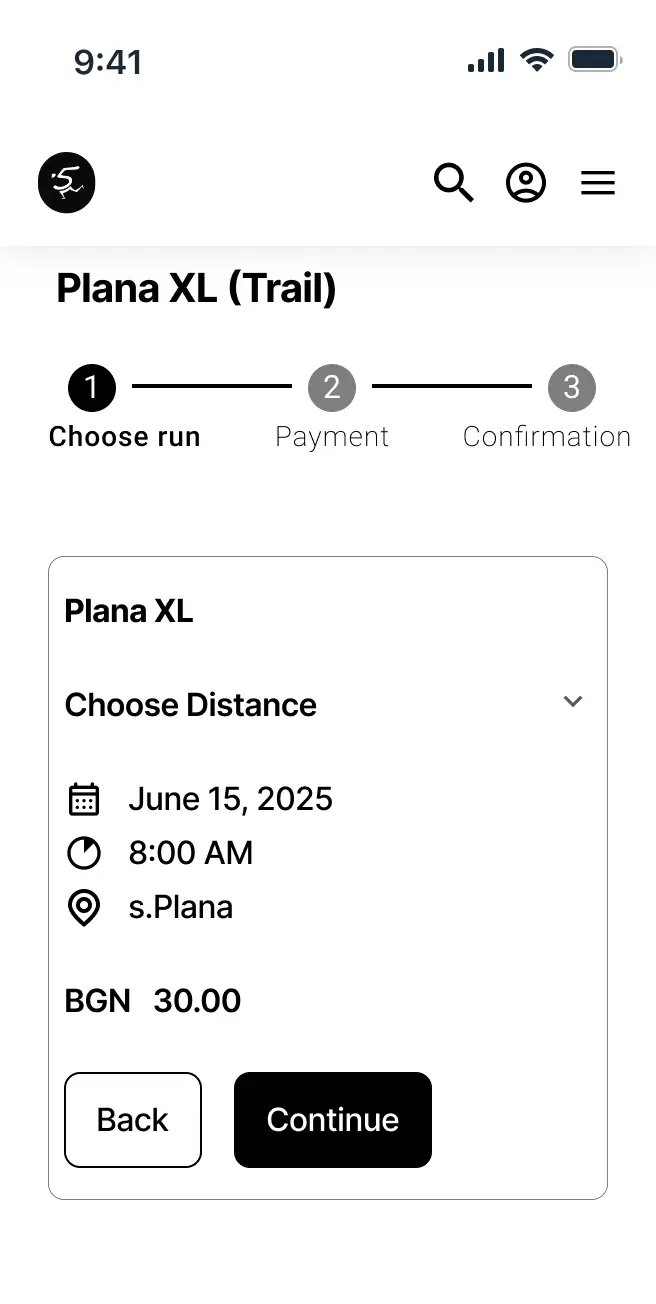
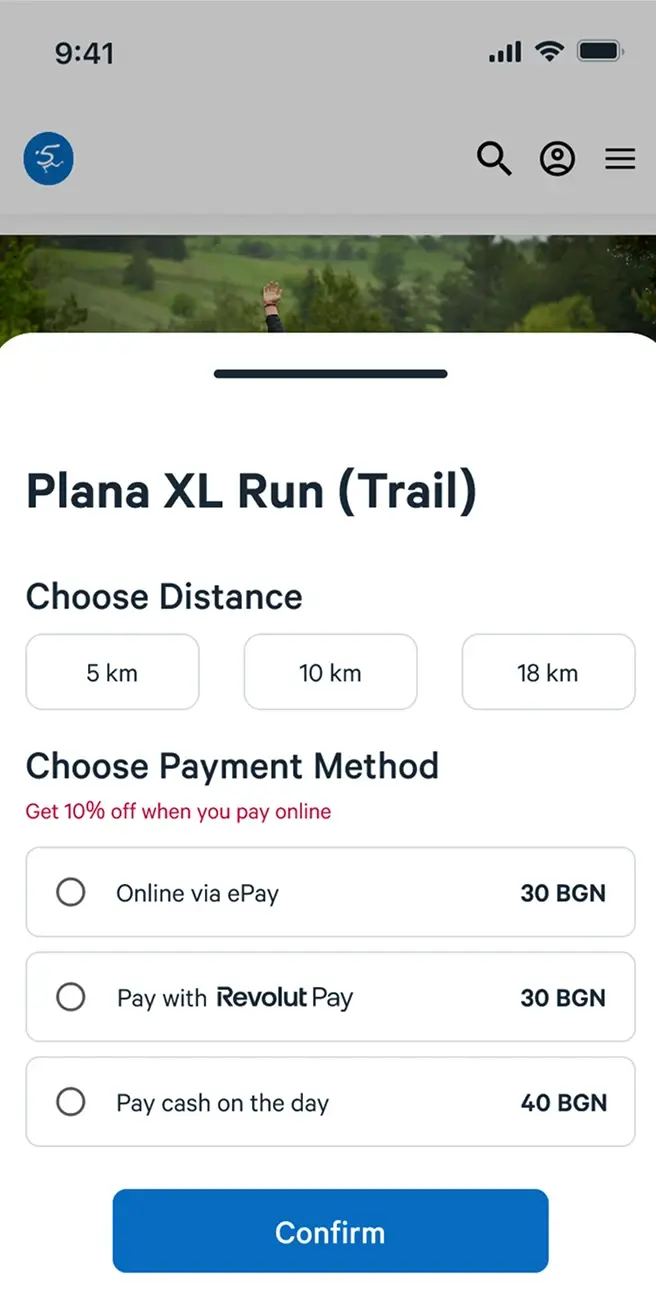
Updated the sign-up flow to combine distance selection and payment into a single screen. This reduced the overall steps from 10 to 2, and the time to complete the flow from 1 minute to 30 seconds.
SUS score improved from 40 to 94% after the redesign.
Users completed the task in less than 2 minutes down from 5 minutes
Accidental UX reduced to 0%. Users no longer accidentally click on the wrong button.
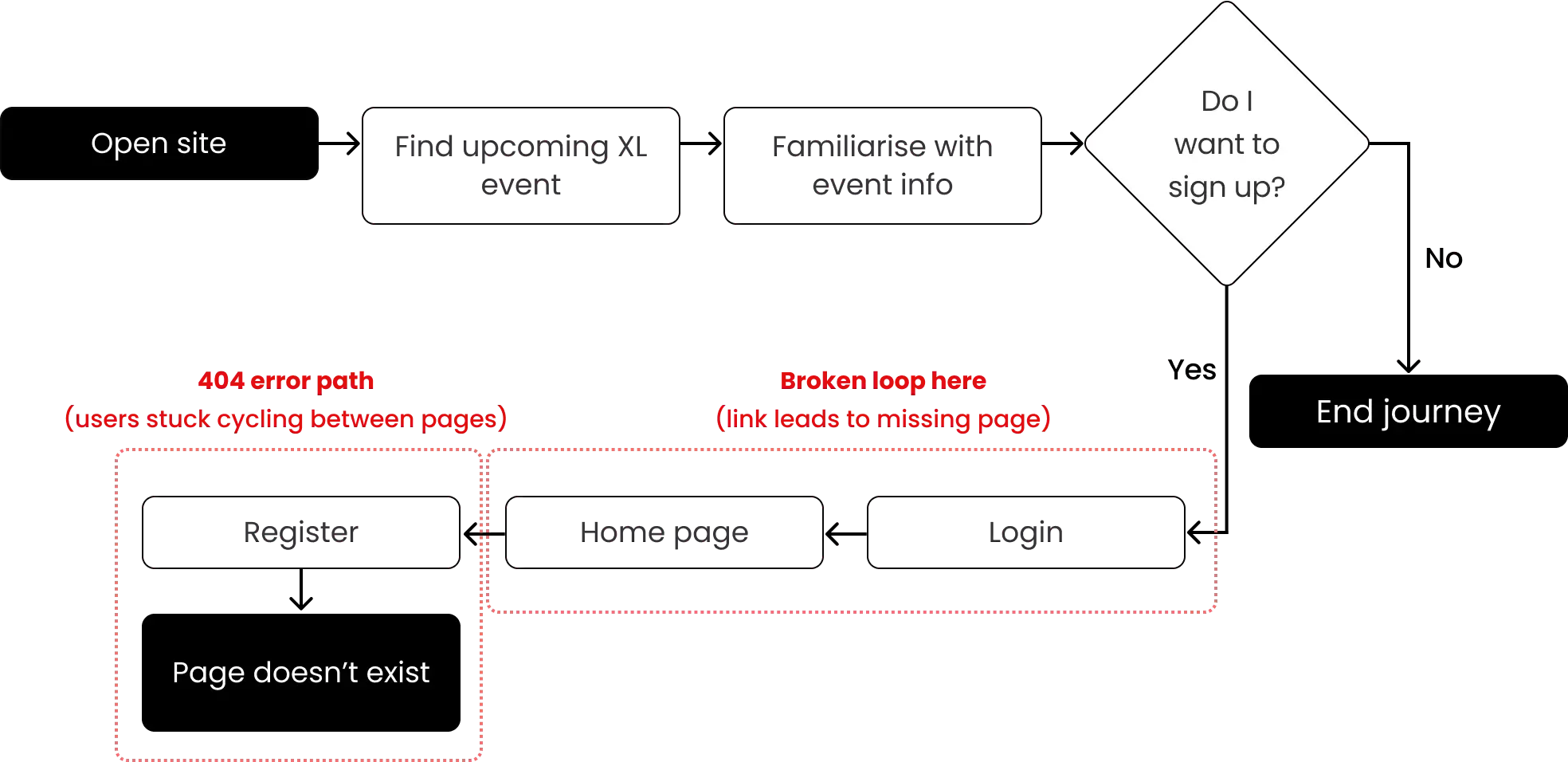
When I joined the project, interviews and usability testing of the existing website had already been completed. There were some key insights that shaped the direction of our design work:
Loved participating in XLs to support their health
Prefer to register and pay in person rather than online
Say the sign-up process was unclear due to navigation
Want better visibility of past runs
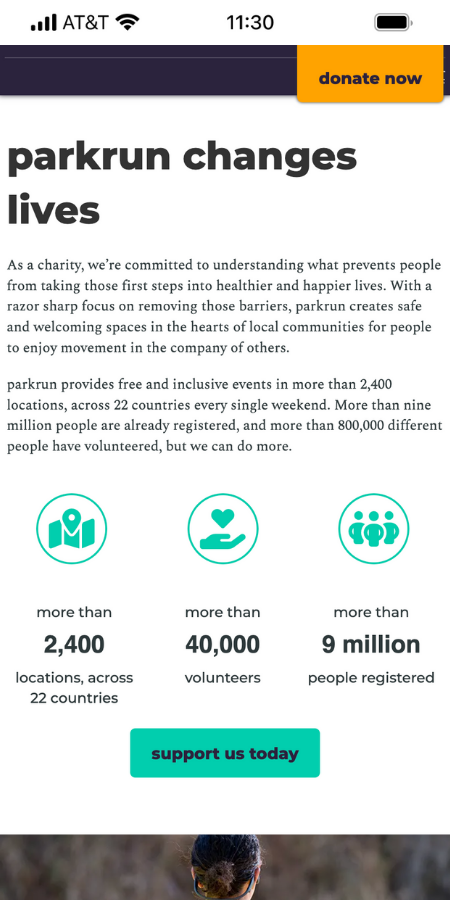
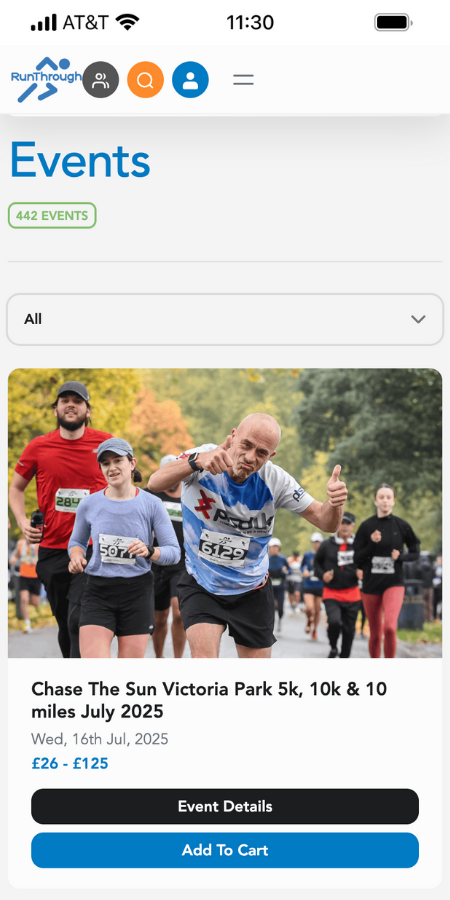
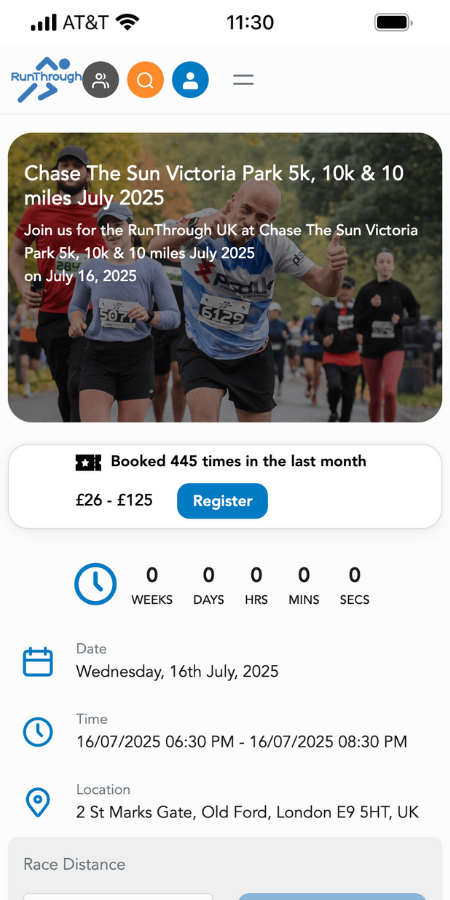
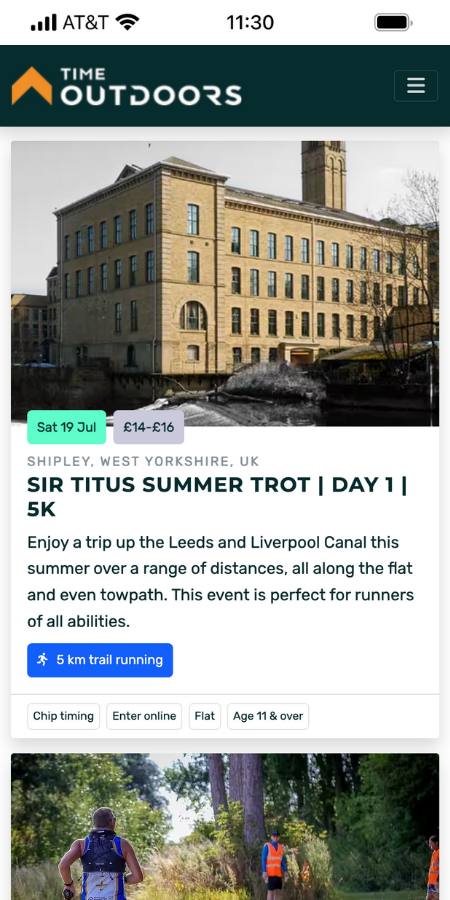
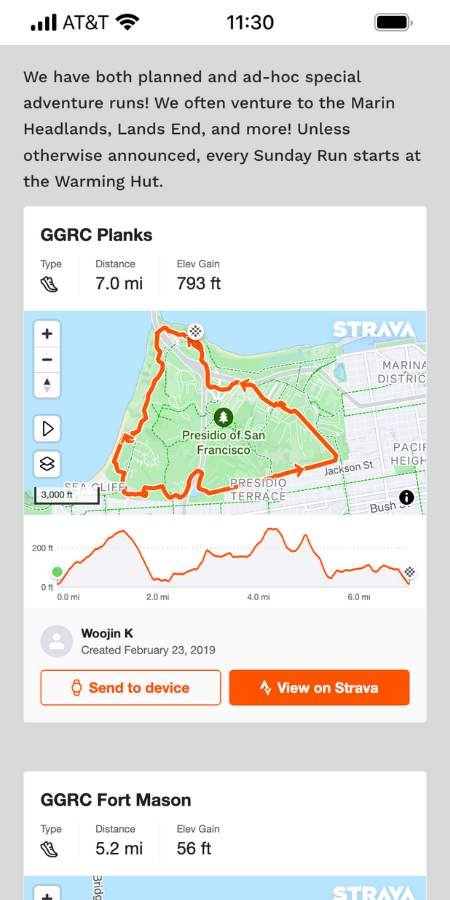
To build on these findings, I looked at the event discovery and sign-up experiences of 6 competitors to understand what they did well and gather inspiration for our redesign.




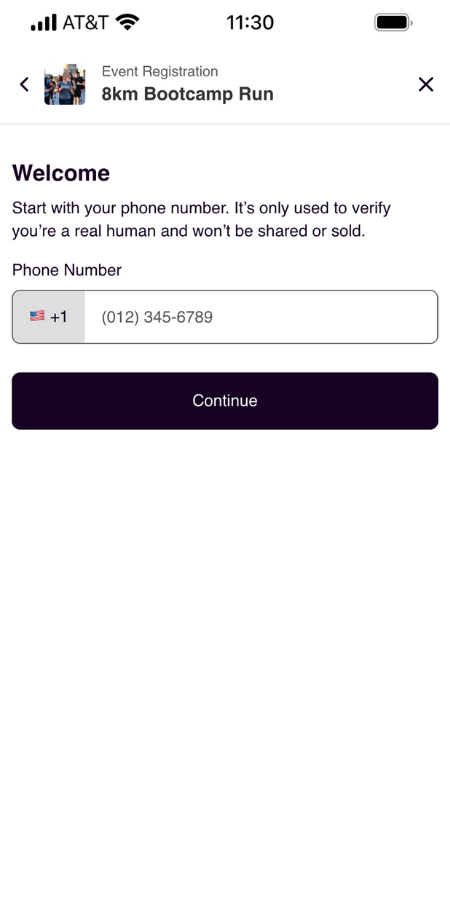
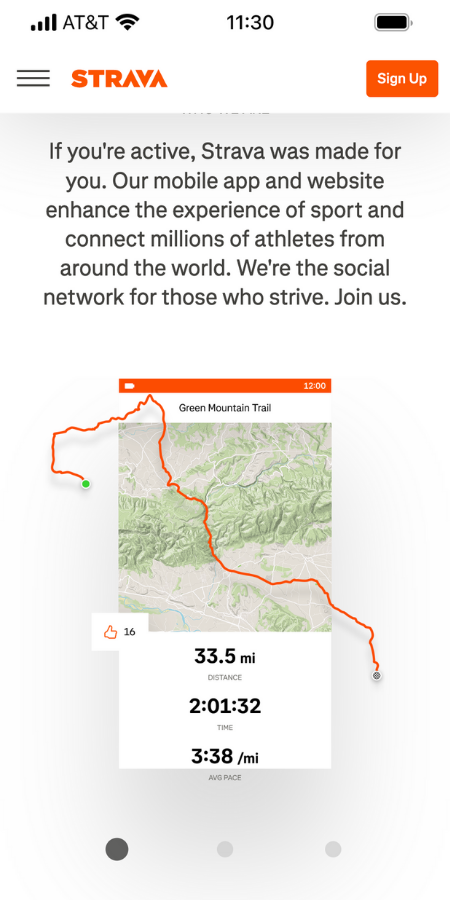
Event visibility
Making event details such as location, time and date more prominent for better visibility.
Event stats
Display event stats such as completed runs or distance covered to improve engagement and support.
Simplified sign-up
Clear buttons and fewer fields to make registration feel easier and faster.
Reviewing the initial research helped me understand what users were struggling with, and the competitive analysis gave me a clearer view of how others solved similar challenges. Together, these insights set the foundation for defining what to prioritise and where our design could add the most value.
After reviewing the research and competitive analysis, we moved into the Define phase to narrow our focus. Since I joined the project midway, I worked with the existing persona to better understand user needs and helped refine the problem statement that guided our design decisions.
Regular 5km run participant.
Wants to track her XL participation and performance.
Needs a clear and simple way to register online.
Denny's needs and frustrations helped us stay focused on reducing friction in the sign-up experience and making the value of XL Runs more visible. These insights shaped our problem statement and helped us prioritise features for the redesign.
Once we had a clearer view of what users needed and where they were getting stuck, we were able to define the main goal of the project through a focused problem statement.
We worked with the client to prioritise features using the MoSCoW method, defining an MVP that balanced user needs, business goals, and technical constraints.
Must have
•
Streamlined sign-up with multiple payment options
•
Event page with CTA, track map, and key details
•
Dashboard to manage events and track past runs
Should have
•
A floating donate button
•
Email confirmation for successful sign up
Won't have
•
Donate pop-up
•
Animated statistics to highlight key information
•
Event calendar
Could have
•
Drop menu in navigation bar
•
New metrics for showing stats
•
Regular newsletter
To kick off ideation, we turned our problem statement into focused HMW questions. This helped us stay outcome-driven and explore ways to simplify sign-up for users while supporting the client’s goal of increasing registrations.
I really enjoyed the HMW exercise because it helped me shift focus from features to user emotions and outcomes, which made ideation more meaningful.
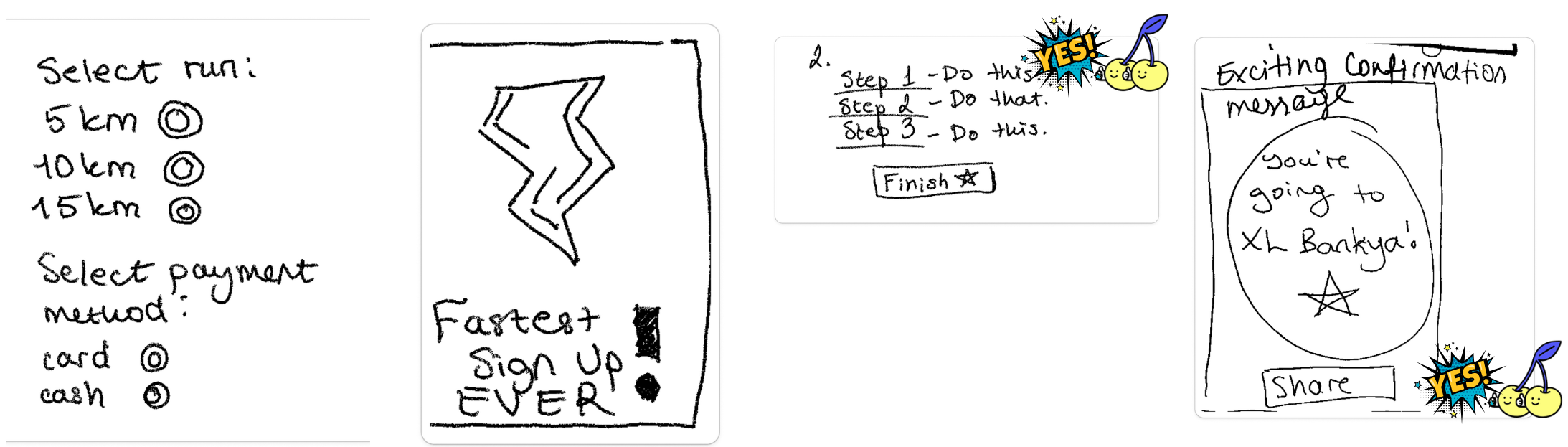
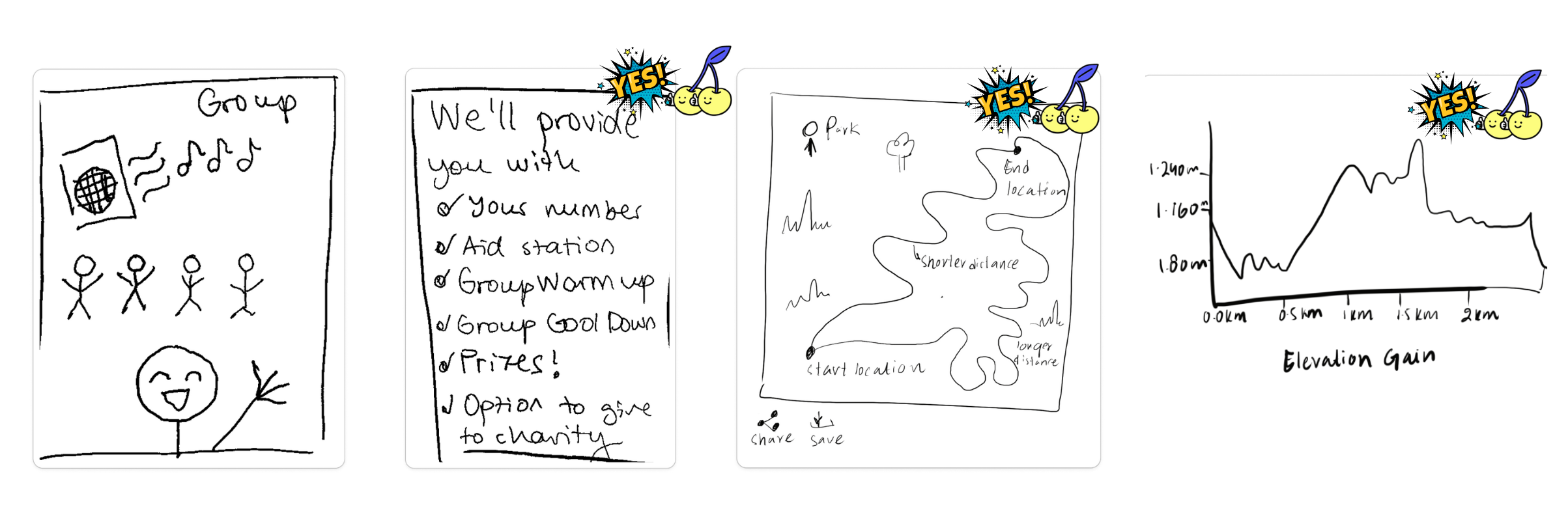
To explore solutions, my teammate and I ran a rapid Crazy 8s session using our selected HMWs. It helped us quickly visualise ideas and lay the groundwork for our low-fidelity wireframes.
After sharing our sketches, we used dot voting with stickers to highlight the strongest ideas that aligned with user needs and our project goals.
How might we help users move through sign-up with ease and confidence?
How might we help users understand the value of the XL Run at a glance?
How might we help users track runs and stay motivated?
This phase reminded me how powerful quick sketches can be for aligning on direction. Even rough ideas helped us see what excited both of us and our client, and gave us clearer focus for prototyping.
We focused on the sign-up process, which was the most complex part of the app.
Using our updated user flow and sketches, I started building low-fi wireframes with a mobile-first mindset (since that’s how most users browse). Going designing within this constraint helped me focus on core actions like viewing events and registering quickly.
We then did 2 rounds of tests and iterations moving from low-high fidelity. We tested a total of 10 users.
Show me how you’d sign up for the 5km Plana XL Run. When and where is it, and what would you need to prepare?
Users managed to complete the main task
Users finished the main task in under two minutes
Users made no mistakes on the main task
Users gave a high average satisfaction score
Combine distance selection and payment in one sign-up screen
Add reminder on confirmation page for users to bring their personal number
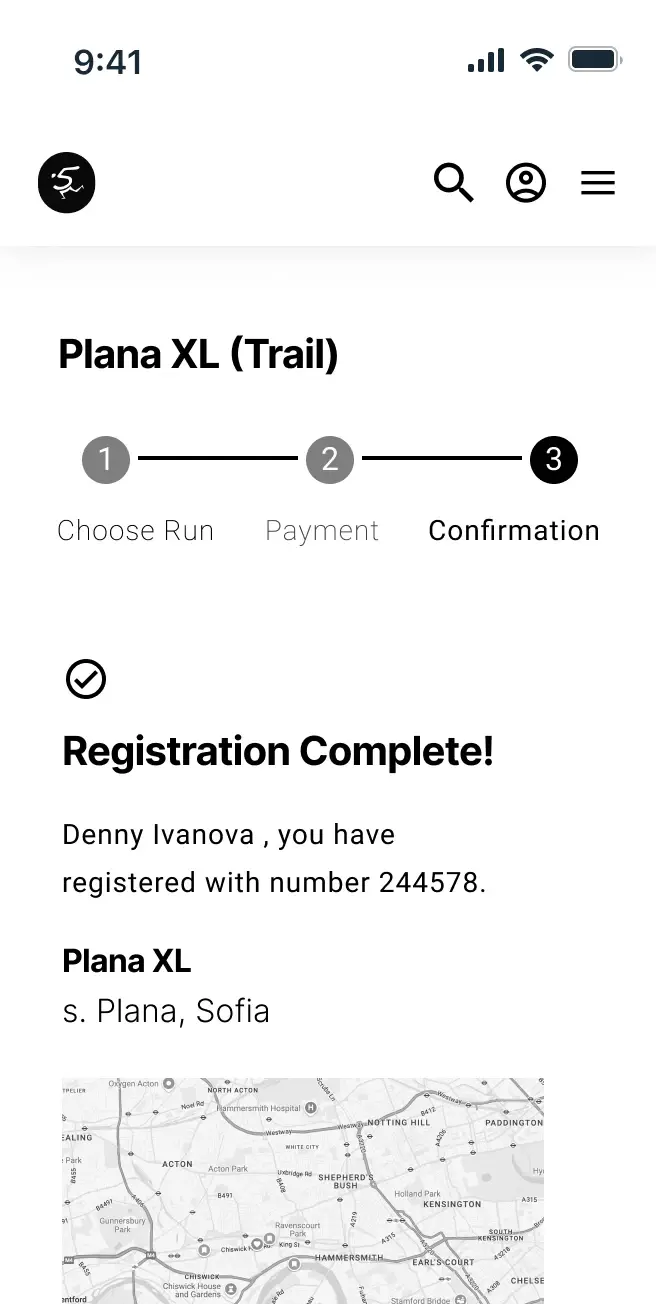
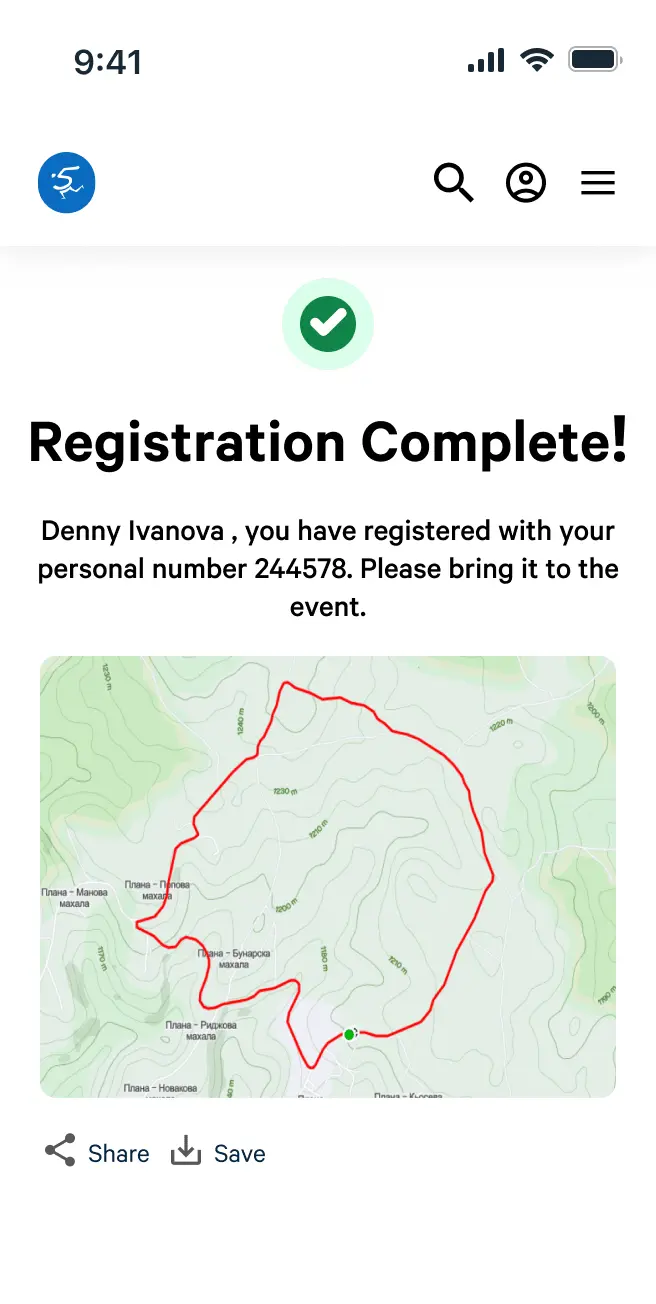
Update the event page to highlight track info, elevation gain & a visible CTA
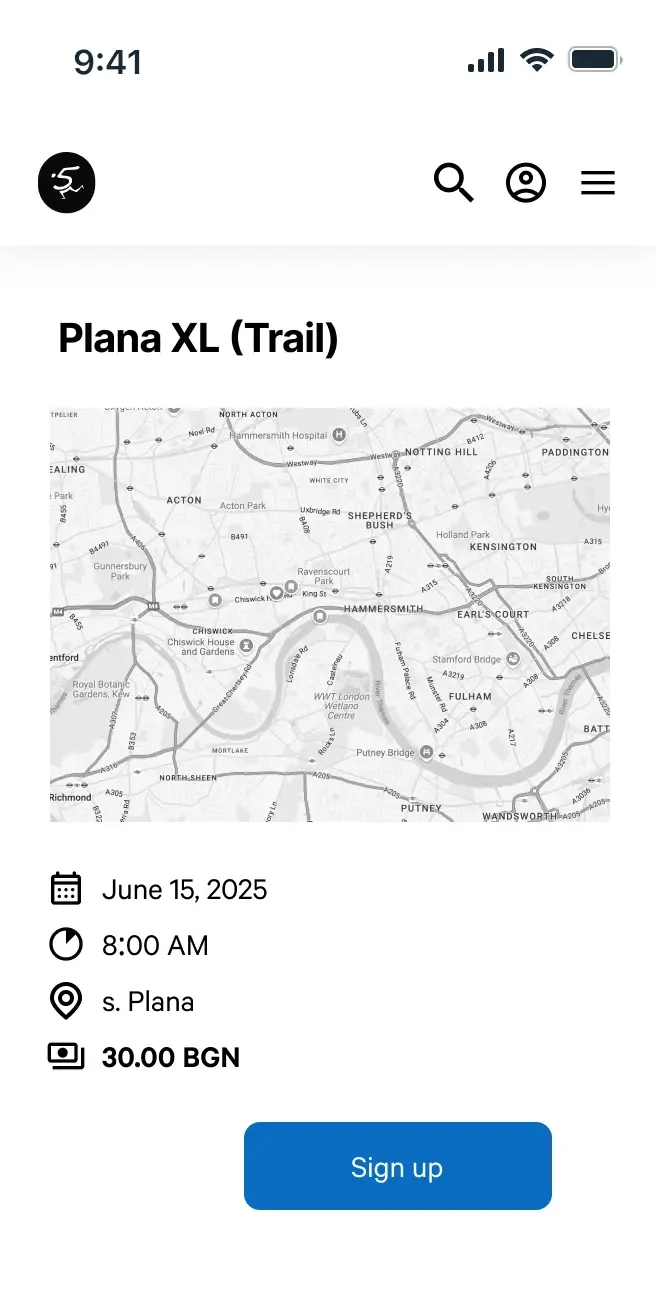
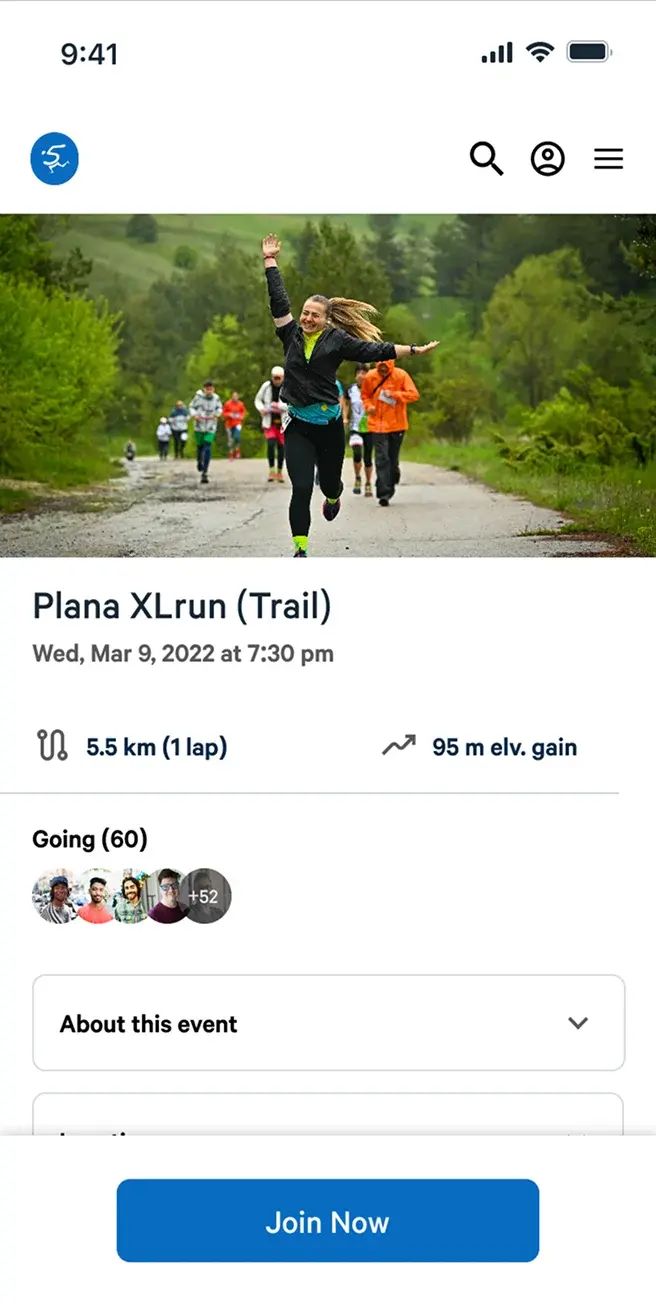
We learned that users were able to complete the main task in under two minutes, and that they made no mistakes on the main task.
During usability testing, users mentioned that the logo felt too small and they often tapped it by mistake instead of the hamburger menu.
I explored a few variations and chose a layout based on common UX patterns: the logo on the left, the hamburger on the right, and a slightly larger logo to improve tap accuracy.
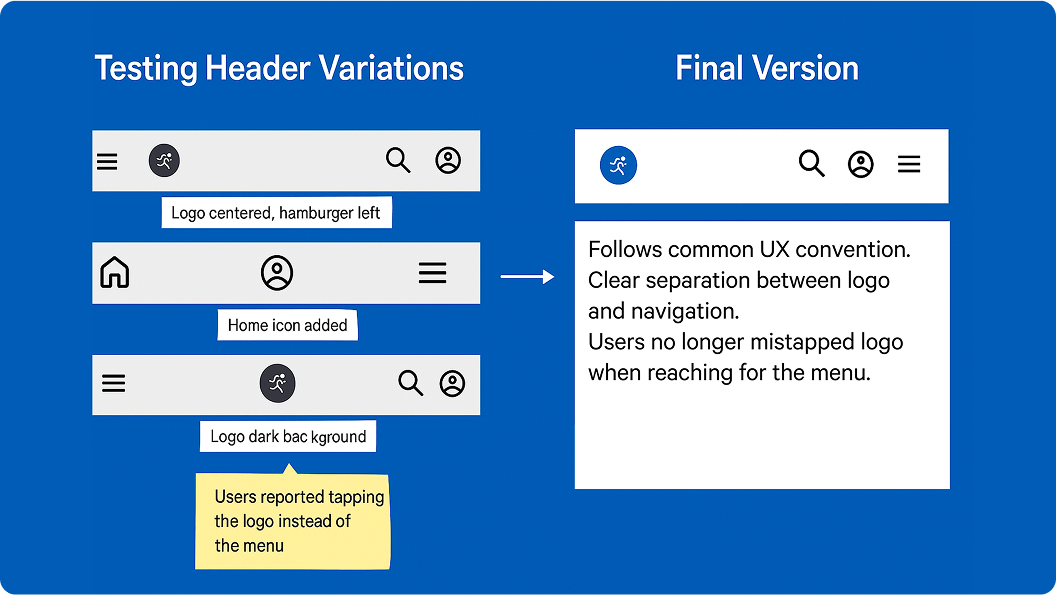
These changes laid the groundwork for usability testing and helped us identify what to keep, improve, or drop in the next phase.
To present our final solution, I created interactive mobile and web prototypes and walked through the key flows: event description page, XL Run sign-up, and the personal dashboard.
We shared these with the client in a live walkthrough session.
Our client walkthrough went great, if you don’t count the mini heart attack we got when Figma lagged for a second!
The client really appreciated how clean and simple the new sign-up flow felt. He found the dashboard especially helpful for encouraging repeat runners.
They felt the solution aligned well with their goal of increasing online registrations while reducing manual admin.

Simplified sign-up process
We simplified the flow to reduce friction and guide users more clearly.
Personalised dashboard
We helped users stay connected by showing past runs and upcoming events in one place.
Mobile-responsive structure
We built and tested both mobile and web versions to ensure the design adapts well to different screen sizes.
If I continue working on this, I'd love to focus on improving key functionality. I'd explore ways to boost user donations, since it's a major revenue stream, and look into integrating user stats with Strava or other running platforms to create a more connected experience.
I joined the project halfway through and wasn't sure how to find my place, but figuring it out on the go taught me a lot. I learned to trust my gut, ask questions even when I felt unsure, and stay open to change. Most of all, I realised how much I love designing when real user insights are involved. That's when the work starts to feel not just creative, but meaningful.